Photon
Menu bar screenshots, markup and screen recordings with a frozen-screen capture mode, written in Rust.GetGPL-3.0

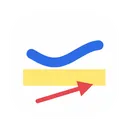
Marks up a screenshot on the clipboard with boxes, arrows, freehand and text, then copies the result back.
MIT · Free download · Downloads from github.com
ClipZilla opens the image on your clipboard in a small editor. You can add rectangles, arrows, freehand strokes and text, undo and redo, and delete a selected mark. Enter or Done copies the annotated picture back to the clipboard, ready to paste into a chat, bug report or document. The clipzilla://annotate URL opens the editor directly. It is for people who mark up screenshots often and want a short step between copying and pasting.
Requires macOS 13 or later. The v0.2.0 DMG is ad-hoc signed and not notarized, so the first launch has to be allowed under System Settings > Privacy & Security.
OpenMacApps links to each project’s official download. Check its release notes for macOS version and Apple silicon support. The verification date records our license and source review, not a security audit. Read how we verify.
License and artwork notices
Link to this page from your README with a badge.

[](https://openmacapps.com/apps/clipzilla/)