


AutoBrew
Menu bar app that upgrades Homebrew packages in the background, with snapshots for rollback and a GUI for casks.GetMIT
Installs, updates and opens the DESKTOP MAC TOOLKIT apps from one menu bar icon, checking each download's signature first.
MIT · Free download · Downloads from github.com
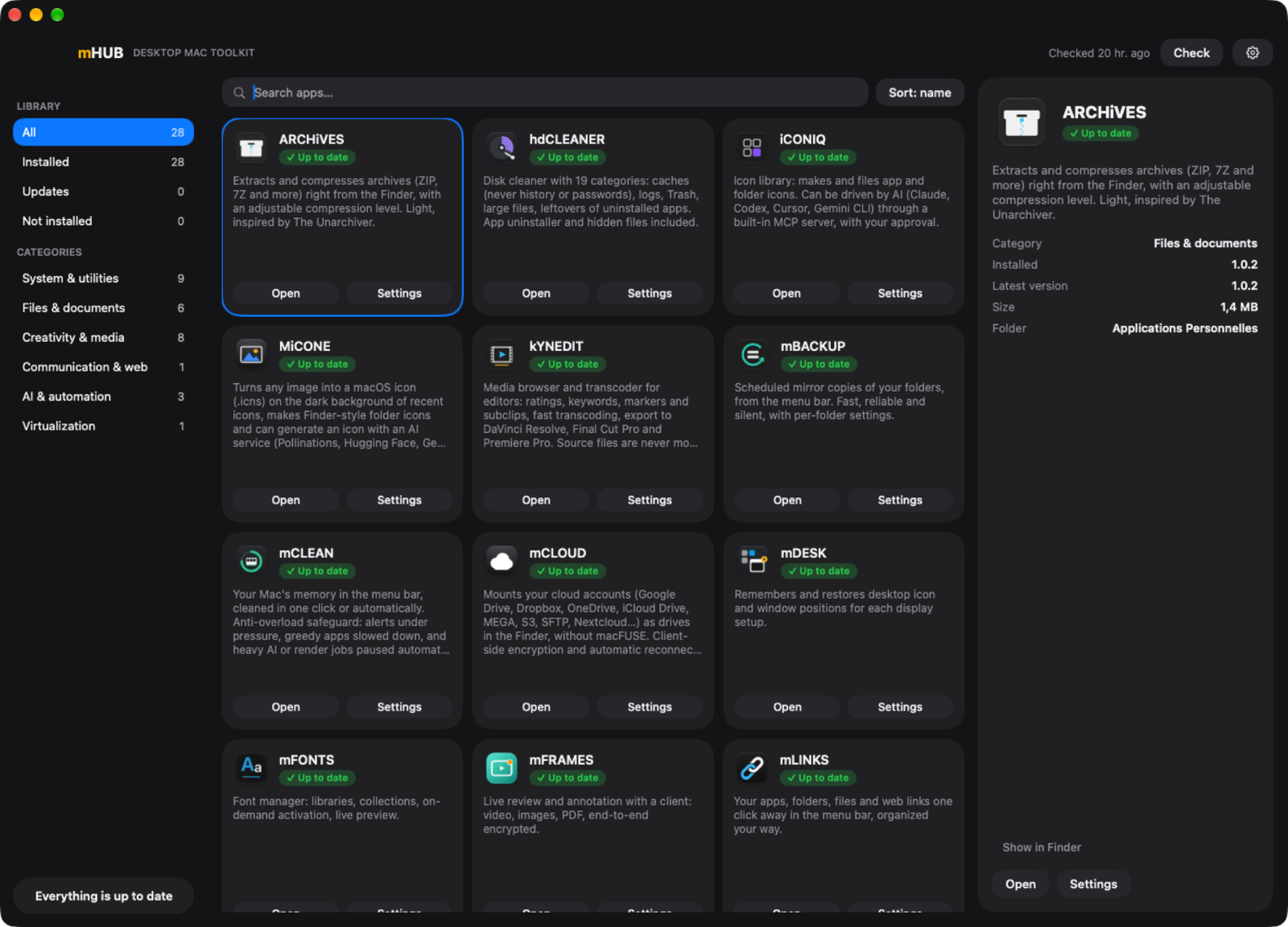
mHUB gathers the apps of the DESKTOP MAC TOOLKIT, the author's collection of Mac utilities, behind one menu bar icon and one window. The catalogue lists 28 apps in version 1.1.2. The library shows each one with a short description, the installed and latest versions, and buttons to open it or bring up its settings. A red dot on the menu bar icon means updates are waiting.
Installing or updating an app downloads its release from the app's public GitHub repository. Before anything is replaced, mHUB verifies the code signature, requires the expected Developer ID team and runs a Gatekeeper check. It never replaces an app that is open. Apps are installed in ~/Applications/Applications Personnelles.
The catalogue ships inside mHUB and is refreshed from GitHub, but a downloaded catalogue cannot change the signing team or the repository owner of an app. Checks run once a day unless you switch to manual mode, and updates can install by themselves. The hub updates itself the same way.
The Settings button works with any listed app: mHUB launches the app if needed and presses its Settings menu item through the Accessibility permission, so the app needs no special support. Most of the other toolkit apps also have their own pages in this catalogue.
The app can sit in the Dock, the menu bar or both, and its interface is in French, English, Spanish and Italian. The release is built for Apple silicon, requires macOS 15, and is Developer ID signed and notarized.
OpenMacApps links to each project’s official download. Requirements are for the current release and can change with the next one. The verification date records our license and source review, not a security audit. Read how we verify.
License and artwork notices
Link to this page from your README with a badge.

[](https://openmacapps.com/apps/mhub/)