OpenMacApps

mDOWN

Downloads video and audio from web pages from the menu bar, with a yt-dlp engine that updates itself.

MIT · Free download · Downloads from github.com

macOS
15+
Apple silicon
Source
GitHub
starbudweiser
License
MIT
Open source
Verified
2026
Category
Internet

Screenshots

About mDOWN

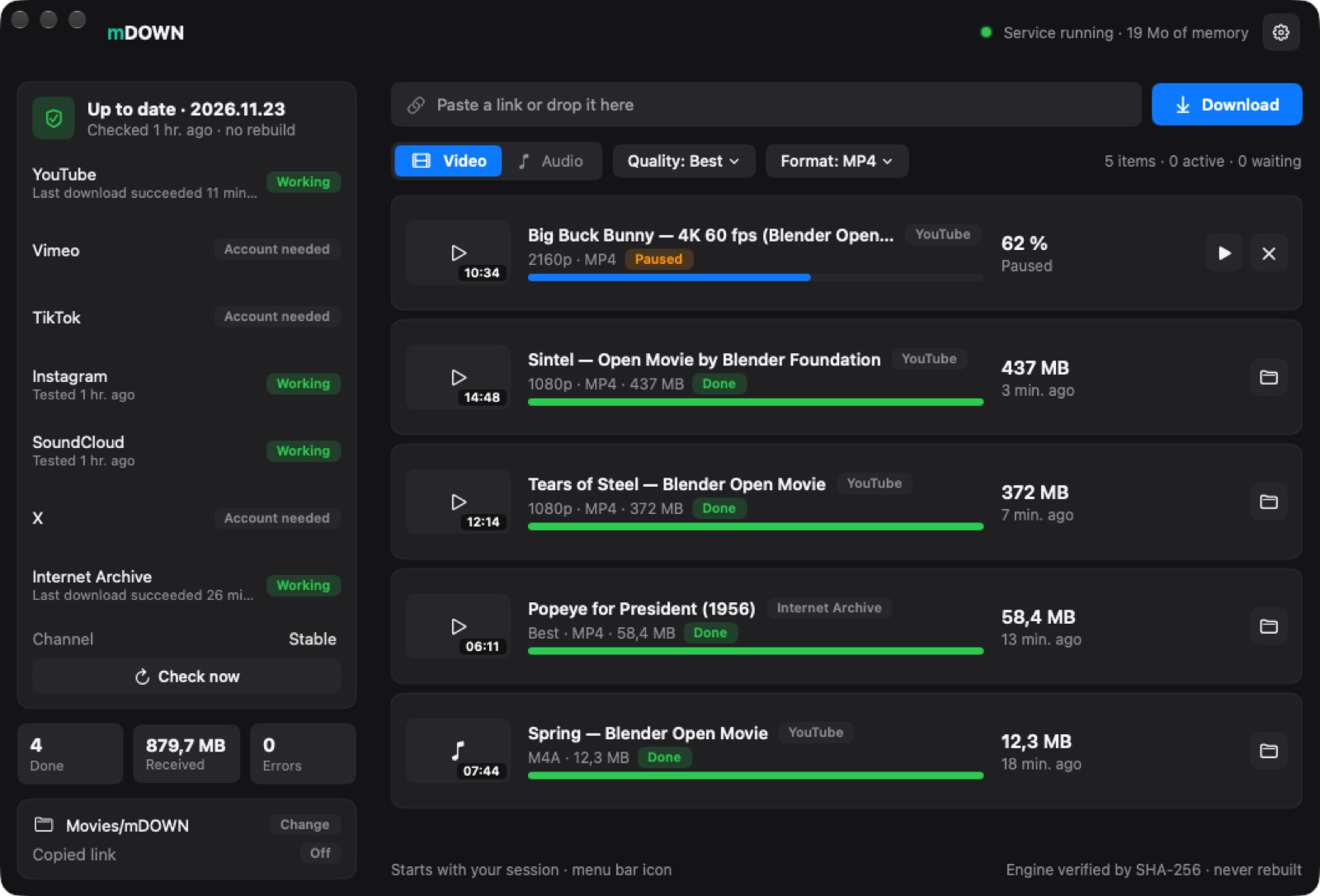
mDOWN downloads video and audio from web pages. Paste a link in the app, or right-click a page in the browser and choose Download with mDOWN. It lives in the menu bar and uses about 30 to 40 MB of memory.

  • The extraction engine is yt-dlp, and it updates itself without a new app release. Each update is checksum-verified and self-tested, and it is rolled back automatically if a platform test fails.
  • A Chromium extension for Brave, Chrome, Edge and others sends pages to the app, and a bookmarklet does the same in Safari.
  • A bundled MCP server lets an agent start, track and cancel downloads. An agent can write only to the folders allowed in the settings, and any other request waits for your approval in the menu bar menu.

The release is built for Apple silicon, requires macOS 15, and is Developer ID signed and notarized.

Information

Source code
starbudweiser/mDOWN
License
MIT
Website
starbudweiser.github.io
Download
github.com
GitHub stars
0
Latest release
v1.1.2 ·
Last commit
Requires
macOS 15 or later
Runs on
Apple silicon only
Gatekeeper
Notarized by Apple
Category
Internet
Topics
Menu bar apps
Verified

OpenMacApps links to each project’s official download. Requirements are for the current release and can change with the next one. The verification date records our license and source review, not a security audit. Read how we verify.

Sources and image credits
Improve this listing

For the Developer

Link to this page from your README with a badge.

Listed on OpenMacApps
[![Listed on OpenMacApps](https://openmacapps.com/badge.svg)](https://openmacapps.com/apps/mdown/)

See All You Might Also Like